




TL;DR: An AI knowledge base uses retrieval to answer customer questions from your existing content instead of making users search through articles manually. The quality of those answers depends on how well the content is structured, maintained, and updated, making knowledge organization just as important as the AI itself.
Support teams can have hundreds of help articles and still give an AI agent poor source material. Duplicate instructions, vague headings, outdated policies, and important details hidden in screenshots all make the right answer harder to retrieve.
That matters as more teams deploy AI agents in customer service.
Salesforce’s 2025 survey of 6,500 service professionals found that teams estimated AI was handling 30% of service cases and expected that share to reach 50% by 2027.
An AI knowledge base organizes support content so both people and AI systems can access and use information efficiently.
This guide explains how retrieval works, how to structure AI-ready articles, what causes inaccurate answers, and which tools can help.
What is an AI knowledge base?
An AI knowledge base is a centralized library of support, product, and company information organized in a way that AI systems can easily find, understand, and use to answer customer questions or complete support tasks.
Unlike traditional knowledge bases that are designed primarily for human readers, an AI knowledge base is structured for both humans and AI agents.
Articles are organized with clear topics, consistent terminology, logical headings, and concise sections, making it easier for AI to retrieve accurate information and deliver reliable responses.
When properly structured, an AI knowledge base helps AI agents resolve customer issues faster, reduce inaccurate answers, and provide more consistent support experiences across channels.
Key features of an AI knowledge base
An AI knowledge base goes beyond storing information. It understands user intent, retrieves relevant information, and delivers accurate answers at the right time.
Below are the essential features that make AI-powered knowledge bases more intelligent, efficient, and effective than traditional systems.
- Intelligent search and content organization: Understands natural language and user intent, instantly retrieves accurate answers, and automatically categorizes and tags content for better discoverability.
- AI‑enhanced content creation: Uses AI to summarize long articles, rewrite unclear content, expand explanations, fix grammar, and maintain consistent brand tone.
- Seamless integrations across support systems: Connects smoothly with help desks, CRMs, chat tools, and ticketing systems to ensure consistent, reliable information across all channels.
- Personalized and conversational AI assistance: Provides tailored article recommendations and uses conversational AI to answer questions naturally, guide users, and escalate complex issues, enabling 24/7 customer service.
- Real-time insights and analytics: Generates reports on popular queries, article performance, content gaps, and customer behavior to improve the knowledge base continuously.
- Continuous learning and improvement: Uses interaction data and feedback to help teams improve search, recommendations, and content over time.
- Self-service portals: Help users resolve issues independently through article summaries, best-match suggestions, and step-by-step guidance.
How AI agents retrieve knowledge base content
An AI agent does not usually read an article from beginning to end. Most systems divide content into smaller chunks, search those chunks for the customer’s intent, and retrieve the passages most likely to contain the answer.
That is why each section should make sense on its own. Clear headings, complete steps, direct answers, and consistent terminology give the AI enough context to use a passage correctly.
Retrieval becomes less reliable when information is buried in long articles, shown only in images, duplicated across pages, or contradicted by outdated instructions.
Practical ways to use an AI-powered knowledge base
AI-powered knowledge bases can significantly improve efficiency, service quality, and overall business performance.
Here are practical ways teams use an AI-enabled knowledge base.
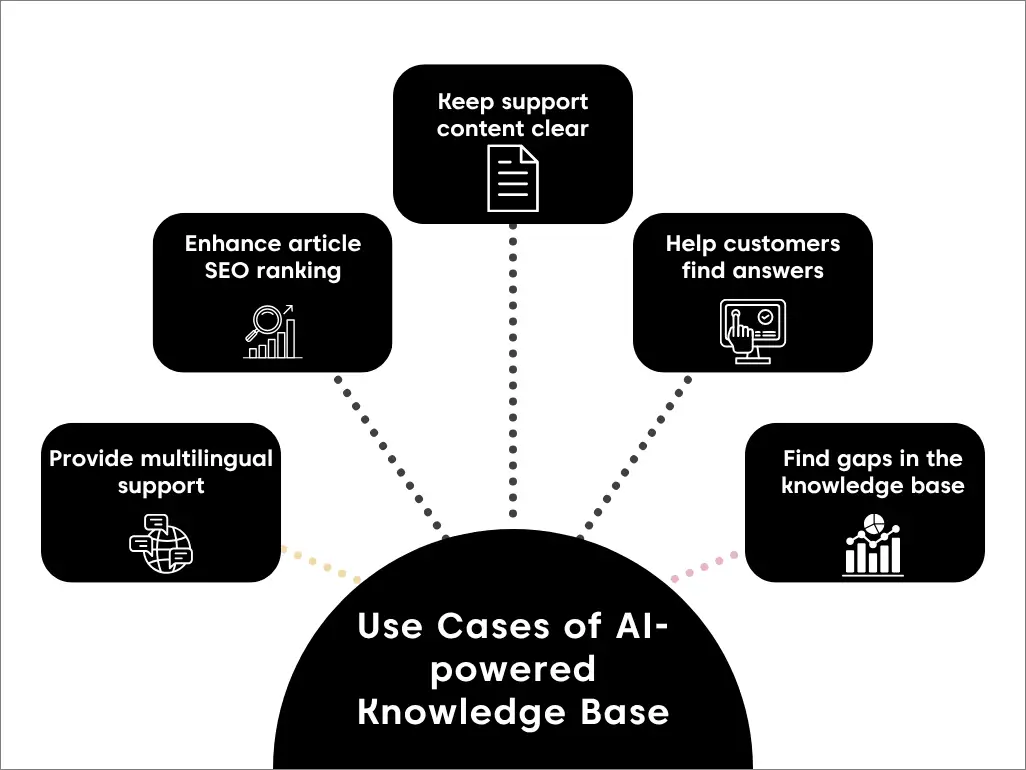
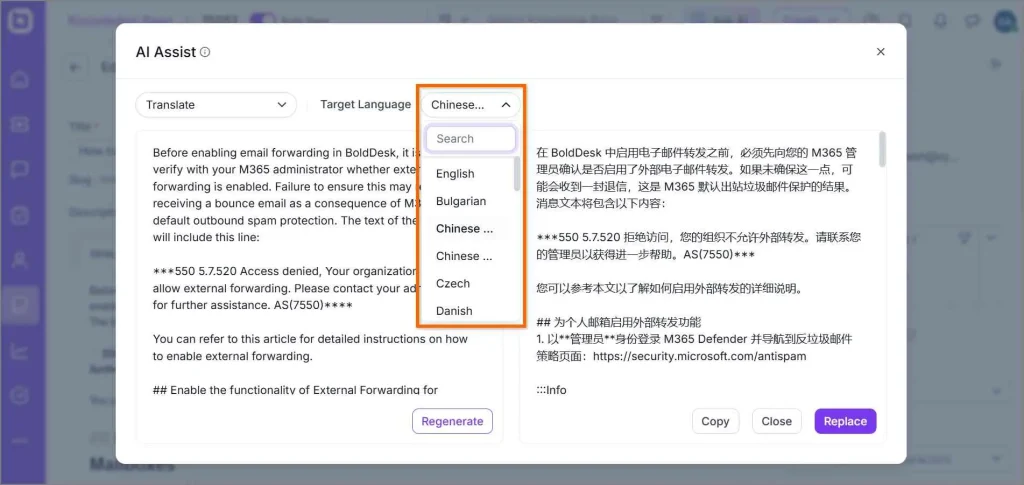
Provide multilingual support
AI-assisted translation helps teams make returns, billing, troubleshooting, and other support articles available in multiple languages. Human review is still important for legal, technical, or region-specific instructions.
By breaking down language barriers, a multilingual knowledge base empowers customer service teams to connect with users across cultures.
Example in ecommerce
For example, an online fashion retailer can use an AI-powered knowledge base to translate help articles on returns, sizing, and shipping into multiple languages.
A customer in Spain searching for “return policy” instantly sees the article in Spanish, improving satisfaction, reducing support tickets, and speeding up resolution.
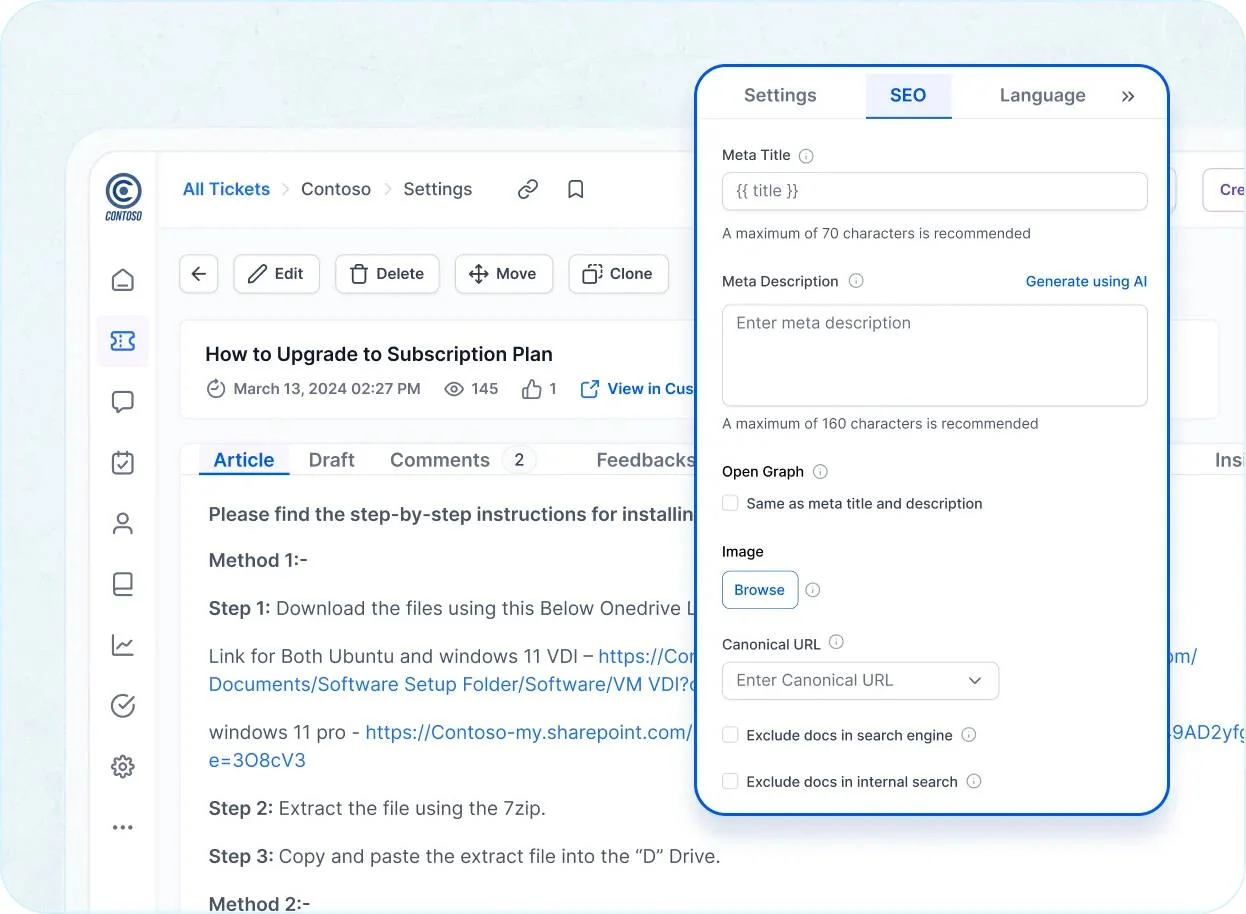
Enhance article SEO rankings
An AI-assisted knowledge base can improve SEO performance by helping teams identify content gaps, optimize titles, and keep articles current.
AI-powered systems improve SEO by understanding search intent and optimizing content accordingly.
By understanding keywords and search queries, the knowledge base AI software:
- Autogenerates sitemaps to improve website navigation.
- Optimizes keywords and predicts what content will attract more traffic.
- Identifies content gaps to deliver a more comprehensive, relevant user experience.
- Provides SEO-friendly article titles and meta descriptions to improve website visibility on search engines.
Keep support content clear and consistent
Content tools can summarize long articles, shorten repetitive passages, correct grammar, and adapt wording to an approved tone.
This is most useful when editors review the suggestions before publishing, rather than treating AI-generated text as automatically accurate.
Help customers find the right answer
Semantic search can match a customer’s intent even when their wording differs from the article title.
It can also surface a short answer or summary before the customer opens the full article, making customer self-service quicker.
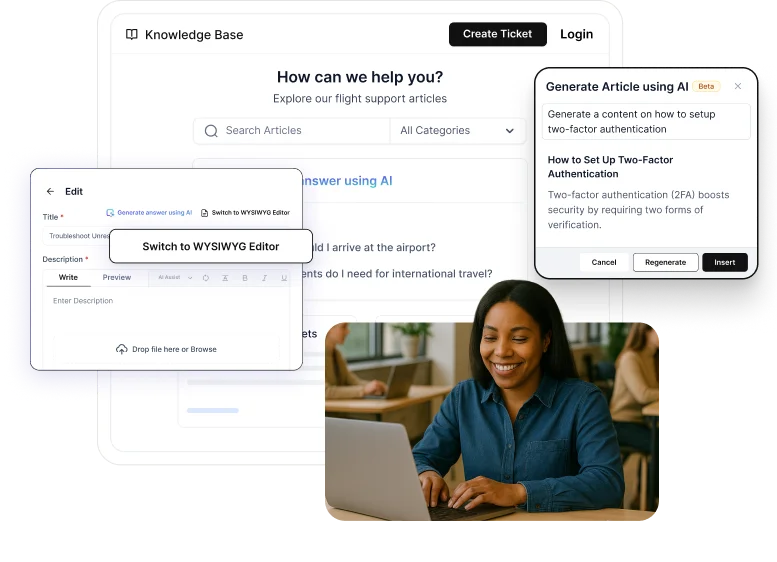
This can improve customer satisfaction by helping users resolve issues more quickly without waiting for support.
Example in banking
A digital bank can leverage AI to improve its help center search experience. For example, when a user searches for “How do I reset my PIN?”, the system can instantly surface the most relevant guide and present a concise summary of the steps.
This not only accelerates issue resolution but also reduces support calls and enhances overall customer service efficiency.
Find gaps in the knowledge base
Search and article analytics can reveal unanswered questions, failed searches, poorly rated answers, and articles that customers regularly view together. These knowledge base metrics help content owners decide what to update, merge, or create next.
Additionally, it helps agents identify frequently asked customer questions and uncover opportunities to create new, relevant articles.
Benefits of using an AI knowledge base for customer support
An AI-powered knowledge base can help organizations improve self-service experiences, make information easier to find, and support more efficient customer service operations. The impact depends on factors such as content quality, knowledge base structure, and ongoing content maintenance.
An AI knowledge base in customer service can:
- Help deliver faster, more consistent resolutions by improving answer findability with AI-powered search and standardized, approved content.
- Support self-service and ticket deflection, helping reduce repetitive workload for support teams.
- Streamline content management through AI-assisted drafting, organization, tagging, and content discoverability.
- Accelerate agent onboarding and training with faster access to relevant information and documented processes.
- Extend support coverage with round-the-clock answers to common questions, while routing complex issues to human agents.
- Improve scalability during spikes in volume, allowing agents to focus on higher-complexity cases without requiring immediate headcount increases.
How to build an AI-ready knowledge base
Building an AI-ready knowledge base requires more than adding AI capabilities. Your content must be structured, consistent, and easy for both users and AI systems to understand.
Using standardized knowledge base article templates can help maintain consistency, improve readability, and make articles easier for AI systems to retrieve and interpret.
Here are 9 practical steps to help you create one that’s not just effective, but also engaging and user-friendly.
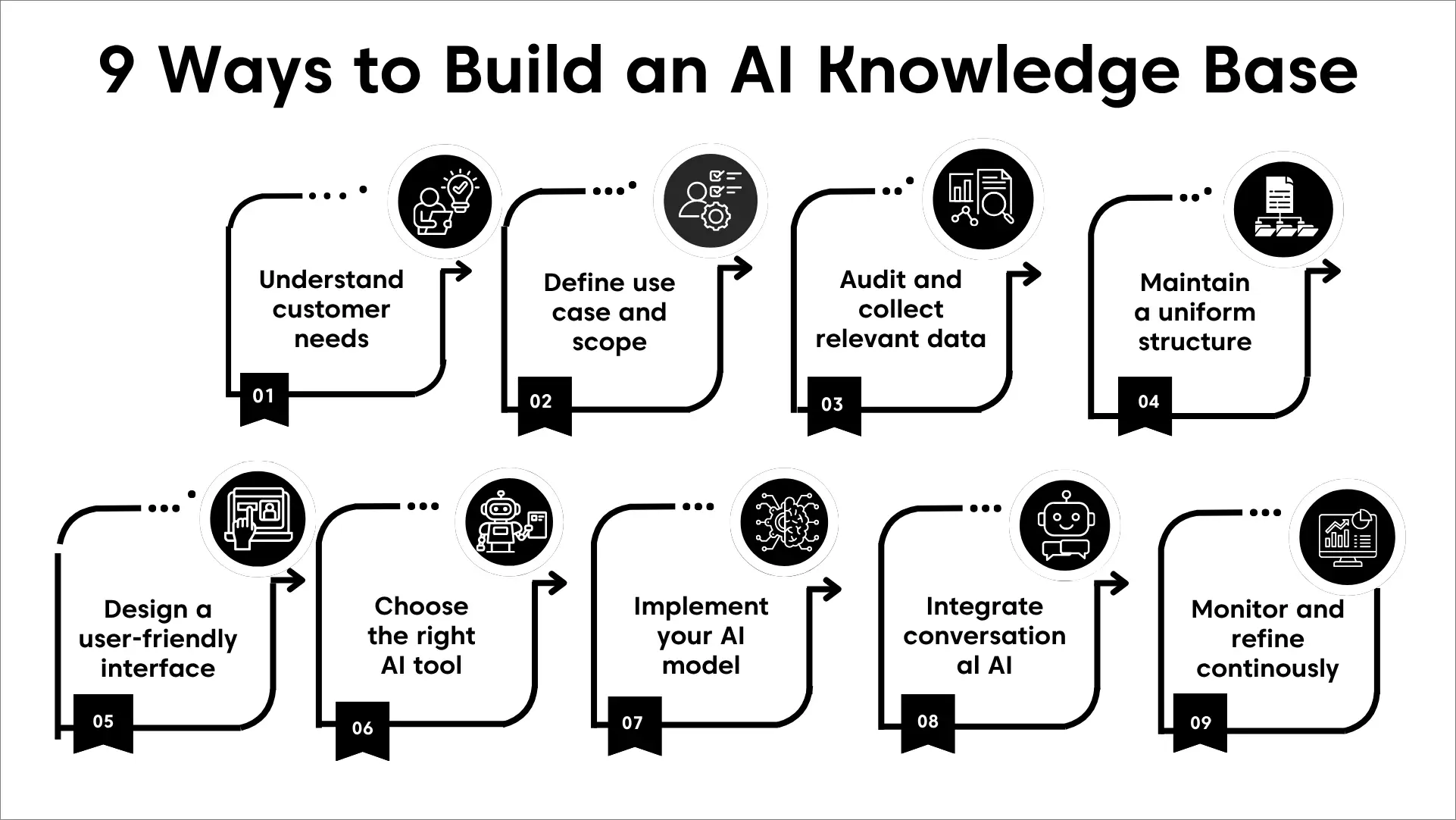
1. Understand what customers are trying to accomplish
Before building an AI knowledge base, identify the information customers and support teams need most often.
Review:
- Common customer questions
- Recurring ticket categories
- Failed or low-result searches
- Customer feedback and support requests
These insights help you prioritize the content that will have the greatest impact on self-service success and AI answer accuracy.
2. Define the use case and scope
Clearly define who the knowledge base is for and how it will be used. Determine whether it will support:
- Customers, employees, or both
- Self-service, agent assistance, or a combination of the two
Establishing the audience and primary use case early helps ensure your content, structure, and AI capabilities align with the right goals.
3. Audit, consolidate, and collect relevant data
AI knowledge bases are most effective when article structures are standardized. Consistent formatting improves AI retrieval accuracy, summarization quality, and semantic search relevance.
Gartner found that 61% of customer service leaders had a backlog of knowledge articles to edit, while more than one-third had no formal process for revising outdated articles.
Compile accurate, up‑to‑date materials such as FAQs, user manuals, troubleshooting guides, and tutorials to ensure a high‑quality foundation for the AI to reference.
Before connecting an AI agent to your knowledge base:
- Remove outdated articles and instructions.
- Merge pages that answer the same question.
- Resolve conflicting policies, prices, or procedures.
- Identify content available only in PDFs, screenshots, or videos.
- Assign an owner and review date to important articles.
- Separate customer-facing information from restricted internal content.
- Check whether common support questions have a complete answer.
Where several articles provide different answers, the AI may retrieve the wrong version. Maintaining one authoritative source for each policy or procedure improves answer consistency.
4. Maintain a clear, uniform structure
Give every article a single purpose, organize information logically, and use a predictable structure across your knowledge base. This improves readability, reduces confusion, and creates a stronger foundation for AI-powered support.
A well-structured knowledge base improves both user navigation and AI retrieval accuracy. Learn more about designing effective content hierarchies, categories, and navigation in our guide to knowledge base architecture.
To help you evaluate and improve your content, we’ve created an AI-ready knowledge base checklist that outlines the key elements every article should include for effective AI retrieval and self-service success.
Download the checklist and use it to audit your existing content, identify gaps, and ensure your knowledge base is optimized for both customers and AI agents.
5. Design a user-friendly interface
A well-organized knowledge base should be easy for both customers and AI agents to navigate. Use clear categories, intuitive navigation, consistent article formatting, and a clean layout to help users find information quickly and improve content retrieval accuracy.
6. Choose the right knowledge base tool
Select a knowledge base software platform that matches your support goals, budget, and scalability requirements.
Look for features such as AI search, content management, integrations, analytics, and automation capabilities that can support both self-service and AI-assisted support.
7. Enable AI features to optimize performance
Use AI capabilities to enhance how content is discovered and maintained. Features such as AI search, content recommendations, query analysis, and content gap detection can help improve answer accuracy and identify opportunities to optimize your knowledge base over time.
8. Integrate conversational AI for real-time assistance
Connect your knowledge base with virtual assistants to provide instant answers and guided support. This allows customers to find information faster, reduces support workloads, and ensures help is available around the clock.
9. Monitor AI insights and refine continuously
Use AI and knowledge base analytics to monitor:
- Queries that return no answer.
- Answers retrieved from the wrong article.
- Missing or incorrect source citations.
- Fallback and escalation rates.
- Repeat contacts following an AI answer.
- Answers receiving negative customer feedback.
- Articles that are frequently retrieved together.
- Content that has not been reviewed recently.
Regularly refine your source content, instructions, and retrieval settings to keep the AI knowledge base accurate, helpful, and aligned with evolving customer needs.
Common content issues that reduce AI answer accuracy
Even the most advanced AI agents can struggle when the knowledge base contains content gaps, conflicting information, or poorly organized articles. Identifying and fixing these common issues is critical to improving answer accuracy and customer satisfaction.
AI knowledge retrieval can fail when articles contain:
- Several unrelated topics under one title.
- Vague headings such as “Overview,” “More information,” or “Other.”
- Instructions that rely on unclear words such as “it,” “this,” or “there.”
- Important steps, shown only in screenshots or videos.
- Duplicate articles containing slightly different instructions.
- Outdated product names, interface labels, prices, or policies.
- Large tables without clear headers or explanatory text.
- Steps that omit required permissions or prerequisites.
- Long introductions that delay the actual answer.
- Links that direct users to deleted or restricted content.
Example of AI-ready knowledge base content
Before optimizing for AI
To change it, open the settings and select the appropriate option. Update the information and save your changes.
After optimizing for AI
To change the billing email address:
- Sign in as an administrator.
- Go to Admin > Billing > Account details.
- Enter the new billing email address.
- Select Save changes.
Only account administrators can update billing information.
How to evaluate AI knowledge base tools for customer support
Not all AI knowledge base platforms deliver the same results. While many offer similar AI features, their effectiveness often depends on how well they manage content, retrieve information, and support long-term knowledge maintenance.
When evaluating an AI knowledge base platform, consider the following factors:
- AI-powered search and answer generation: Evaluate how accurately the platform understands user questions, retrieves relevant content, and generates trustworthy responses.
- Knowledge management capabilities: Look for features that help teams create, organize, update, and govern content, such as version control, content hierarchies, approval workflows, and collaboration tools.
- Customer self-service experience: Assess how easily customers can find answers through search, AI assistants, help centers, and customer self-service portals without needing to contact support.
- Integrations and connectivity: Consider whether the platform connects seamlessly with your help desk, CRM, collaboration tools, communication channels, and other business systems.
- Scalability and usability: Choose a solution that remains easy to manage as your content library, support volume, and team size grow.
- Analytics and continuous improvement: Look for reporting and analytics capabilities that provide insights into search performance, content gaps, article effectiveness, and customer engagement.
- Customer feedback and reputation: Review independent customer feedback, ratings, and case studies to understand the platform’s strengths, limitations, and real-world performance.
For a detailed comparison of leading platforms, features, pricing, and use cases, see our guide to the best knowledge base software.
Elevate your support with an AI knowledge base
An AI knowledge base does not become reliable simply because AI features are switched on. Its answers still depend on the quality, structure, and consistency of the content behind them.
Start by removing conflicting information, giving each article one clear purpose, and making every important instruction understandable on its own.
Then choose a platform based on retrieval quality, governance, integration, customer feedback, and how well it fits your support workflow.
The best tool is the one that helps your team keep knowledge accurate while making the right answer easier for both customers and AI agents to find.
We hope this article was insightful. Feel free to leave a comment below!
Related articles
- How to Create a Knowledge Base in 7 Easy Steps
- Knowledge Management System: Examples and Effective Guidelines
- The Best Knowledge Management Software & Tools (2026)
FAQs on AI knowledge base
An AI knowledge base uses technologies such as natural language processing (NLP), machine learning, and semantic search to understand user queries and retrieve relevant information.
It analyzes user intent, surfaces accurate answers, and improves search relevance over time based on user interactions and feedback.
The accuracy of AI-generated answers depends largely on the quality, structure, and freshness of its content.
While AI can retrieve and summarize information effectively, outdated, incomplete, or poorly organized content can reduce answer quality.
Most AI knowledge base systems use guardrails such as source attribution, confidence thresholds, permissions controls, human review workflows, and escalation to support agents when the AI cannot find a reliable answer.
These safeguards help reduce the risk of inaccurate responses.
Organizations can improve AI knowledge base accuracy through regular content reviews, clear ownership, content governance policies, removal of duplicate information, and ongoing analysis of failed searches and user feedback.
Artificial intelligence enhances knowledge management by helping organizations organize, analyze, maintain, and deliver information more efficiently.
It can also enhance knowledge management systems by automating content categorization, identifying gaps, and recommending updates based on user behavior and feedback.