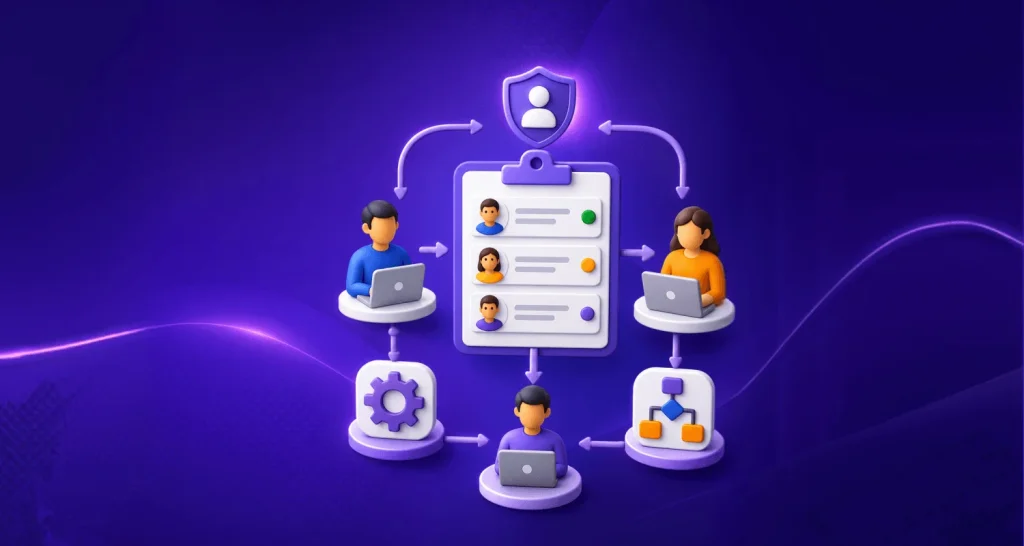

TL;DR: AI agents in customer service help businesses deliver faster, smarter customer service by resolving issues automatically, executing actions through APIs, and keeping conversations consistent. Unlike basic chatbots, they personalize support across channels, reduce escalations, and free human agents to focus on complex, high‑value interactions.
An AI agent in customer service is software that reads a customer’s request, decides what to do next, and completes the task by calling your business systems, rather than simply providing a scripted response and handing the ticket to a human.
The difference between an AI agent and a chatbot is not the quality of the conversation. It is the ability of the system to take action.
In this article, we’ll explain what AI agents are, how they work, key use cases and benefits in customer service, and why they’re shaping the future of modern support teams.
Key takeaways
- Definition: an AI agent in customer service interprets intent, plans the steps, executes actions in connected systems through APIs, and escalates to a human when policy or confidence requires it.
- What it realistically resolves today: Salesforce reports 30% of service cases were resolved by AI in 2025, with 50% expected by 2027. Gartner’s 80% figure is a 2029 forecast, not a current benchmark.
- Where it fails: only 27% of customers say they would try a chatbot again after a bad experience (Gartner, 2 September 2026). One badly designed deployment costs you the channel.
- Non-negotiable since 2 August 2026: EU AI Act Article 50 requires people to be told they are interacting with an AI system, at the latest at first interaction.
- The design decision that matters most is escalation, not automation percentage. An agent that resolves 60% cleanly and hands over the other 40% with full context beats one that resolves 75% and dumps the rest cold.
- Most tools marketed as “AI agents” are Level 1 or Level 2 on the autonomy ladder below. Ask vendors which level they support and what happens at the boundary.
What are AI agents?
An AI agent is a system that pursues a goal across multiple steps, chooses its own actions along the way, and uses tools or APIs to change the state of something outside itself.
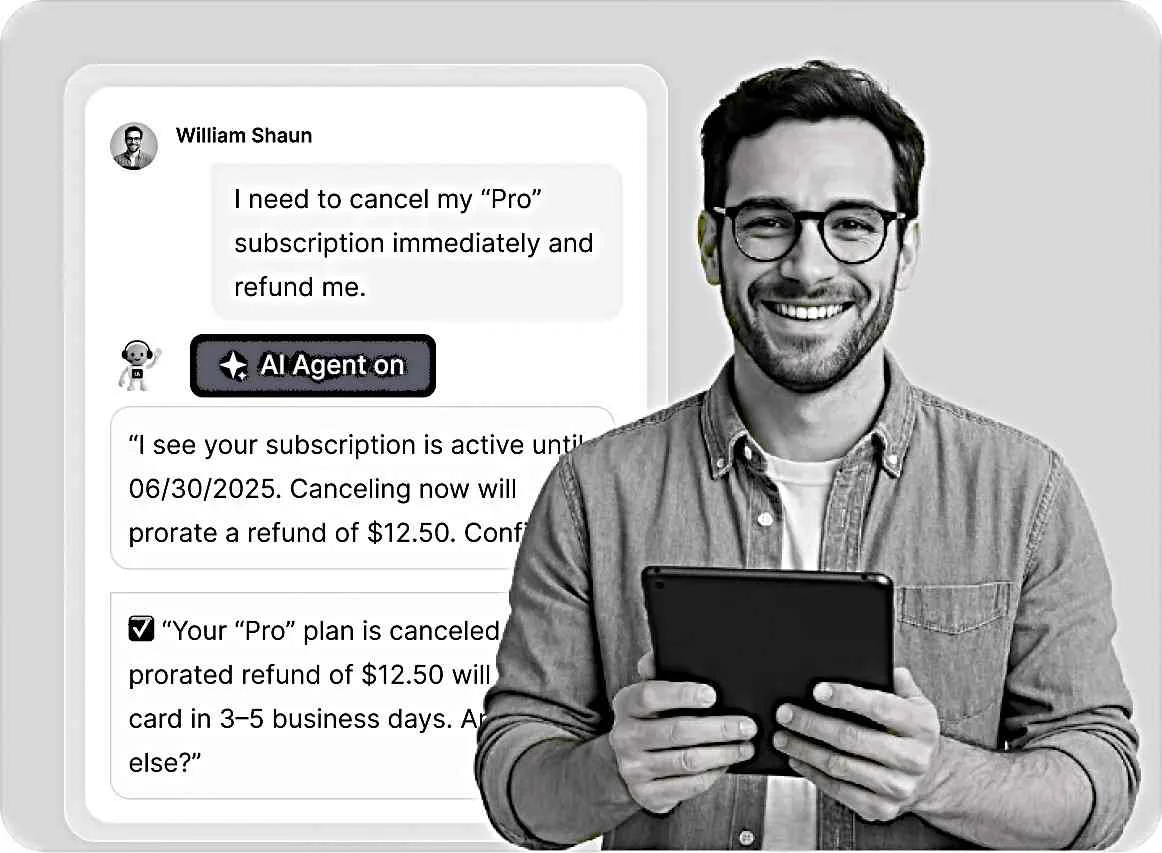
In customer service, that means the agent does not stop at answering. It looks up the order, applies the refund, updates the address, reschedules the delivery, or files the ticket, then confirms the outcome to the customer.
Three capabilities separate an agent from a chatbot:
- Reasoning. It works out what the customer needs, including when the request is phrased badly or contains two problems at once.
- Tool use. It can call your order system, billing platform, CRM, or help desk software and act on what it finds.
- Bounded autonomy. It decides the next step itself, inside limits you set, and stops when it hits one.
Remove any of the three and you have a chatbot with better phrasing.
The five levels of customer service AI autonomy
Most vendor conversations go wrong because “AI agent” describes five different things. Use this ladder to pin down what you are actually buying.
| Level | Name | What it does | What it cannot do |
| L0 | Scripted | Follows decision trees and keyword rules | Handle anything off-script |
| L1 | Retrieval | Answers in natural language from your knowledge base | Change any record |
| L2 | Single action | Executes one confirmed action, such as checking order status | Chain steps or recover from a failed call |
| L3 | End-to-end resolution | Plans multiple steps, acts across systems, resolves the case, escalates on policy or low confidence | Redesign the process it runs in |
| L4 | Orchestration | Coordinates several specialized agents, works proactively, handles cross-department cases | Operate without governance and audit |
How to use this in a vendor call. Ask two questions: which level does the product operate at out of the box, and what happens at the boundary of that level. A vendor at L2 who says so plainly is more useful than one at L2 claiming L4.
BoldDesk’s AI Agent sits at L2 to L3: it answers from your knowledge base, and AI Actions lets it call your systems through APIs and MCP tools to complete the request, escalating to a human queue with a summary, the customer record, and every action already taken.
How do AI customer service agents work?
AI customer service agents follow a structured workflow to understand requests, retrieve accurate information, take actions, and resolve issues or escalate them when needed.
The process typically follows these seven steps:
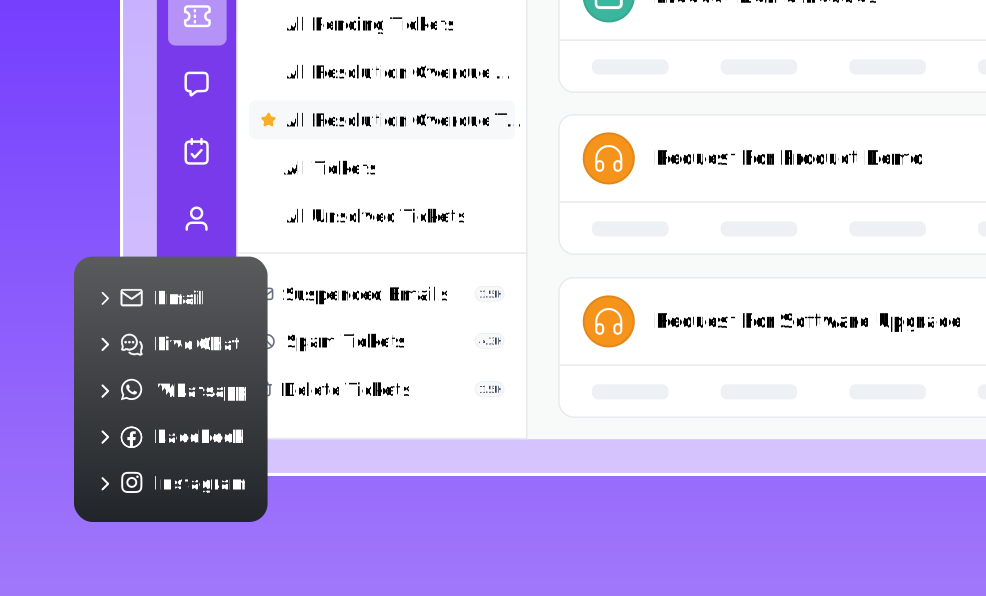
- The request arrives on a channel, for example, live chat, email, WhatsApp, or a messaging app.
- The agent identifies intent, entities such as order number or account, and sentiment.
- It retrieves the relevant facts from your knowledge base, help center, and ticket history. Grounding is what keeps answers accurate; ungrounded generation is where AI hallucinations come from.
- It decides the steps needed to finish the job.
- It calls the connected systems and performs the update.
- Confirmation or escalation. It confirms the outcome, or hands the case to a human with the full trail.
- Learning loop. Unresolved cases and corrections feed back into the knowledge base and the agent’s instructions.
The step teams skip is 3. An agent grounded in a thin or stale knowledge base will fail regardless of the model behind it. Fix the knowledge base first; it is the cheapest accuracy work available.
Why are AI agents for customer service important?
Because the volume and the expectation both moved, and headcount did not.
- 91% of service and support leaders report pressure from executive leadership to implement AI (Gartner survey of 321 leaders, fielded October 2025, published 18 February 2026).
- AI agent adoption in customer service organizations rose from 39% to 66% between 2025 and 2026, a 1.7x increase (Salesforce, State of Service: AI Agents Edition, 20 May 2026).
- AI is projected to unlock up to 60% of addressable care volume, and 42% of care organizations have already reversed rising inbound volumes through smarter self-service and digital deflection (McKinsey, State of Customer Care, 23 February 2026).
- 74% of consumers now expect service to be available 24/7 because AI made it possible (Zendesk CX Trends 2026, published 18 November 2025).
What AI agents actually resolve: three numbers, three meanings
Every vendor quotes one resolution figure. Three exist, and they mean different things.
| Figure | What it measures | Source | How to use it |
| 30% in 2025, 50% expected by 2027 | Share of service cases resolved by AI, reported by service professionals | Salesforce State of Service, 7th edition, 10 Sep 2025 | Use this as your planning baseline |
| 78% to 85% | Automation and resolution rates of top-10 performers per industry | Fin AI benchmarks, 110M+ conversations, 12,000+ customers, refreshed 20 May 2026 | A best-in-class ceiling, not an average. Vendor-published |
| 80% by 2029 | Forecast of common issues resolved autonomously, with a 30% cut in operational costs | Gartner press release, 5 Mar 2025 | A forecast four years out. Do not quote it as today’s performance |
Correction worth making internally: the widely repeated “AI will resolve 80% of customer service issues” drops two words that change the claim. Gartner’s wording is “agentic AI will autonomously resolve 80% of common customer service issues without human intervention by 2029.” Common issues, not all issues.
If you are building a business case, model 30% to 50% resolution on your simple ticket types in year one. Anything above that is upside, not plan.
The trust problem nobody puts in the brochure
This is the section that decides whether your deployment works, and it is missing from almost every article on this topic.
- 87% of customers say companies using generative AI for customer service must provide access to a human agent (Gartner customer survey, n=3,566, fielded February to March 2026, published 4 August 2026).
- Only 27% of customers say they would be willing to try a chatbot again after a negative experience (Gartner, 2 September 2026, same survey base).
- Only 7% used a chatbot or digital assistant in their most recent service interaction — while 49% said they would have been willing to, had one been offered (same survey).
- Customers are roughly three times more likely to use a third-party tool such as ChatGPT, Gemini, or Copilot than a company-provided chatbot (Gartner, 8 July 2026).
- 65% of service professionals believe customers fully trust AI. Only 44% of consumers actually do (Salesforce, State of Service: AI Agents Edition, 20 May 2026).
- Nearly 70% of care leaders agree empathy and trust will always require human involvement (McKinsey, 23 February 2026).
AI disclosure: what changed on 2 August 2026
If you serve customers in the EU, this is now a compliance requirement, not a best practice.
EU AI Act Article 50(1), verbatim:
“Providers shall ensure that AI systems intended to interact directly with natural persons are designed and developed in such a way that the natural persons concerned are informed that they are interacting with an AI system, unless this is obvious from the point of view of a natural person who is reasonably well-informed, observant and circumspect, taking into account the circumstances and the context of use.”
The European Commission’s own guidance names chatbots, AI agents, and avatars as in scope. Article 50(5) requires the disclosure to be clear, distinguishable, accessible, and given at the latest at the time of the first interaction. Article 50 became applicable on 2 August 2026.
What this means in your help desk configuration:
| Requirement | Practical implementation |
| Inform at first interaction | The AI identifies itself in its opening message, not in a footer or terms page |
| Clear and distinguishable | Plain wording such as “You’re chatting with an AI assistant.” No ambiguous persona names implying a human |
| Accessible format | Disclosure available to screen readers, and repeated in transcripts and email replies |
| Route to a human | Not an Article 50 requirement, but 87% of customers expect it. Keep the handoff visible at every step |
| Auditable | Log the disclosure event with the conversation so you can evidence compliance |
Gartner also predicts that by 2028, regulatory changes related to AI will increase assisted service volume by 30% (Gartner, 26 January 2026). Plan human capacity accordingly rather than cutting it to the forecast.
This is a summary of a regulatory requirement, not legal advice. Confirm your obligations with your own counsel.
AI agents vs. chatbots: What’s the real difference?
Not all AI-powered customer service tools work the same way. Traditional chatbots are designed to answer common questions using predefined rules and scripted workflows, making them effective for routine interactions.
AI agents go a step further by understanding context, making decisions, and taking actions across connected systems to resolve customer requests more independently.
The table below highlights the key differences between AI agents and traditional chatbots:
| Capability | AI agents | Traditional chatbots |
| How they respond | Interpret context and decide the next action | Follow predefined rules, flows, or scripts |
| Task handling | Complete multi-step support tasks | Best for predictable, repetitive requests |
| System actions | Act in connected systems through APIs | Usually limited to configured workflows |
| Context | Hold context across a complex interaction | Depend on predefined conversational paths |
| Failure behaviour | Escalate with a summary and the actions taken | Loop, or dead-end the customer |
| Human involvement | Resolve independently, escalate by design | Frequently require escalation |
| Best suited for | End-to-end resolution of defined case types | FAQs and straightforward self-service |
| Autonomy level | L2 to L4 | L0 to L1 |
The row that predicts customer satisfaction is failure behaviour, not task handling. Full comparison: AI agent vs chatbot.
How are artificial intelligence agents used in customer service?
AI agents can handle anything from simple tasks to complex workflows, depending on how they’re built and what tools or resources they can access.
Many work together in a system called an agentic system, where each agent handles a specific task and passes it along to the next.
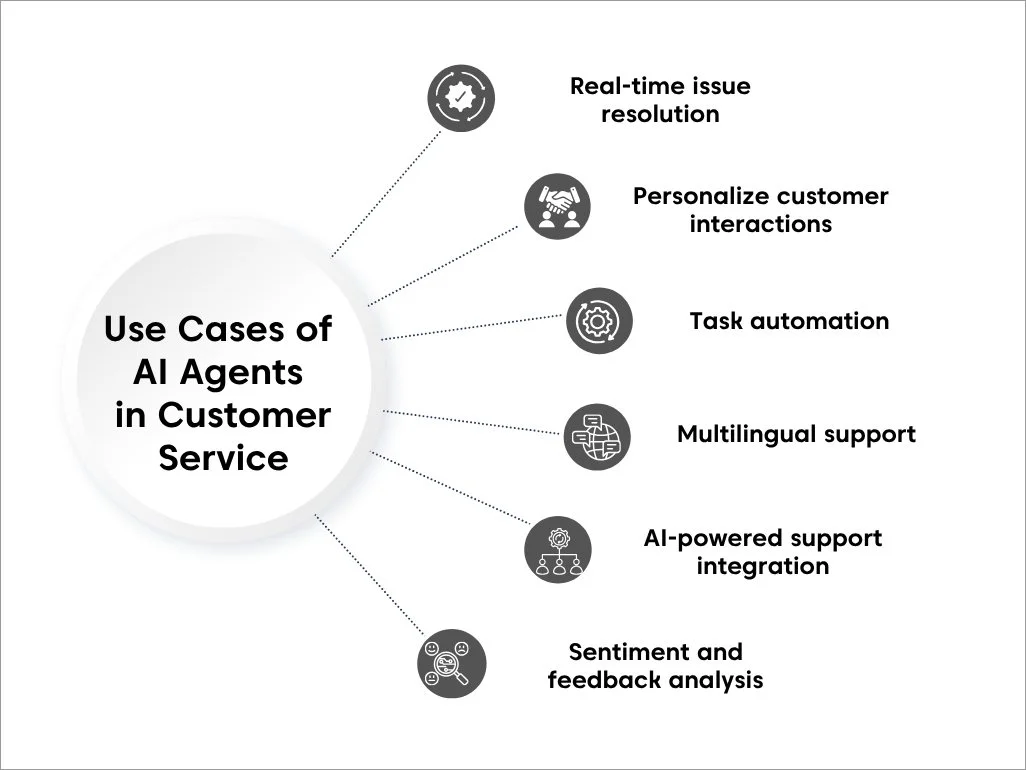
Let’s explore some common use cases where virtual assistant agents are making a measurable impact.
Resolving requests end to end
Order status, refunds inside policy, address changes, subscription pauses, password and licence resets, appointment rescheduling. These share three traits: high volume, a clear policy rule, and a single system of record. Start here.
Triaging and routing what it should not resolve
Reading an inbound message, classifying it, setting priority, and routing it to the right queue removes manual sorting before a human opens anything. See AI email triage.
Assisting the human agent instead of replacing them
Draft replies, ticket summaries, tone adjustment, and next-step suggestions. This is usually the fastest measurable win because it needs no customer-facing risk appetite.
Gartner found 85% of service leaders are expanding human agent responsibilities rather than removing them (28 April 2026). BoldDesk covers this with AI Copilot.
Supporting customers in their own language
One agent covering every supported language removes the staffing constraint that makes multilingual customer support expensive to run at small scale.
Personalizing with account context
Pulling plan, history, entitlement, and open tickets into the reply, so the customer is not asked for information you already hold.
Detecting sentiment and surfacing patterns
Flagging frustration for priority handling, and reporting recurring root causes back to product and operations. For worked examples by function and vertical, see AI agent examples.
Escalation design: the part that decides whether this works
Automation rate is the metric teams report. Escalation quality is the metric customers feel. Design it deliberately.
Escalate on these triggers, not just on failure:
- Confidence below your threshold on intent or on the retrieved answer
- Any action with financial, legal, contractual, or safety consequence
- Two consecutive turns without progress
- Detected frustration, distress, or an explicit request for a human
- A case type you have not yet validated in production
- Anything outside written policy should not be improvised by an agent.
A clean handoff carries all six of these:
- A short summary of what the customer wants
- Every action the agent already took, and the result of each
- The customer record and entitlement
- The full transcript, not a truncated version
- The reason for escalation, stated plainly
- The agent’s confidence and what it was unsure about
These details help create a smoother AI-to-human handoff, giving the human agent the context needed to continue the interaction without making the customer start over.
Never do these three: restart the conversation from zero, make the customer repeat information already given, or hide the route to a human behind repeated retry loops. All three are the direct cause of that 27% retry figure.
Design the human-in-the-loop review path at the same time. Sampling the agent’s resolved cases weekly is how you catch a drifting policy before customers do.
Use cases of AI agents in different industries
AI agents are being adopted across industries to automate workflows, improve operational efficiency, and deliver more personalized experiences. Common applications include:
| Industry | Highest-value first use case | Escalate by default |
| SaaS and software | License, seat, and password actions; tier-1 troubleshooting | Data loss, security, contract changes |
| E-commerce and retail | Order status, returns and refunds inside policy, delivery changes | Fraud signals, goodwill outside policy |
| Financial services | Balance and transaction queries, statement requests, card blocks | Disputes, lending, anything advice-adjacent |
| Healthcare | Appointment scheduling, admin and billing queries | Anything clinical, without exception |
| Telecom | Plan changes, billing explanations, guided diagnostics | Outage compensation, contract termination |
| Travel and hospitality | Booking changes, itinerary and policy questions | Disruption compensation, medical or accessibility needs |
| Education | Enrolment, deadlines, IT and access requests | Grades, welfare, safeguarding |
| Internal IT support | Access requests, resets, common break-fix | Anything requiring privileged access approval |
The pattern across all eight: automate where the policy is written down and the record is authoritative. Escalate where judgement, money, or wellbeing is involved.
What are the challenges of AI agents in customer service?
As AI agents become more integrated into business workflows, it’s essential to recognize the complexities and constraints that come with them.
Being aware of these factors helps organizations make informed decisions, refine their implementation strategies, and unlock the full potential of AI-driven support:
- Governance maturity is the real gap: Close to three-quarters of companies plan to deploy agentic AI within two years, but only 21% report a mature model for agent governance (Deloitte, State of AI in the Enterprise, n=3,235, 21 January 2026).
- Cost is not guaranteed to fall: Gartner predicts generative AI cost per resolution will exceed $3 by 2030, surpassing many offshore human agent costs (26 January 2026). Watch the pricing model as closely as the capability. Per-resolution and per-conversation meters make your bill scale with your success; flat and credit-based pricing does not. BoldDesk publishes flat AI credit pricing at $20 per 1,000 AI credits rather than a per-resolution fee. See pricing.
- Most deployments stall before maturity: 82% of leaders invested in AI for customer service in the last year, but only 10% have reached mature deployment, and mature teams report improved metrics 87% of the time versus 62% overall (Intercom, 2026 Customer Service Transformation Report, n=2,470, 28 January 2026).
- Hallucination and grounding: An agent that invents a policy creates a liability, not a deflection. Ground every answer in an approved source and restrict generation on policy questions. See how to prevent AI hallucinations in customer service.
- Knowledge base debt: Every accuracy problem traces back to the source content more often than to the model.
- Measuring the wrong thing: Deflection rate rewards not answering. Track resolution rate, escalation quality, CSAT on AI-handled cases, and repeat contact rate within seven days. For the financial model, see chatbot ROI.
How to deploy an AI agent without burning customer trust
Deploying an AI agent is not just a technology decision. It is a customer experience decision. Organizations that see lasting results typically start with low-risk use cases and expand only when the agent consistently meets customer expectations.
The framework below outlines a practical path from pilot to production.
| Step | Action | Validation before moving on |
| 1 | Pick three high-volume case types with written policy and one system of record | Volume and policy confirmed from your own ticket data |
| 2 | Clean and structure the knowledge articles those cases depend on | Answer accuracy sampled at 95%+ on test questions |
| 3 | Start at L1, answers only, no actions | CSAT on AI-handled chats within 5 points of human baseline |
| 4 | Turn on disclosure and the visible human route from day one | Disclosure logged on every conversation |
| 5 | Add one L2 action, read-only first, then write | Zero incorrect actions across 200 cases |
| 6 | Set escalation triggers and test the handoff payload | Human agents confirm they need no clarifying question |
| 7 | Expand case types one at a time, sample weekly | Repeat contact rate flat or falling |
Salesforce reports 70% of customer service organizations that adopt AI agents observe measurable value within 60 days of deployment (20 May 2026). That window is realistic only with a narrow starting scope.
If you want the build side rather than the buy side, see how to build AI agents without code.
Redefining the future of customer service with AI agents
The direction is settled. The sequencing is not. Forrester expects a third of companies to harm experiences with frustrating AI self-service in 2026 (2026 Predictions, 28 October 2025), while Gartner expects regulatory change to push assisted volume up 30% by 2028.
Both can be true at once, and they point at the same conclusion: the teams that win are not the ones automating the highest share. They are the ones automating a well-chosen share cleanly, disclosing it properly, and making the route to a human obvious.
Start narrow, ground everything, design the handoff before the automation, and measure resolution rather than deflection.
Try BoldDesk’s AI Agent free for 15 days to see the escalation payload your team would actually receive.
Related articles
- Automated Customer Service: Benefits, Tools and Best Practices
- Chatbots vs Live Chat: Key Differences, Benefits, and Use Cases
- Future of Customer Service: Top Trends for Businesses in 2026
FAQs
An AI agent in customer service is software that interprets a customer’s request, plans the steps needed to resolve it, executes those steps in connected business systems through APIs, and escalates to a human agent when policy, risk, or low confidence requires it.
Unlike a chatbot, it can change the state of a record rather than only reply.
No. AI agents handle routine and repetitive tasks, giving human representatives more time for complex, high-value interactions that require empathy, judgment, and problem-solving.
Our guide to AI vs human customer service explains which requests each should handle and when a hybrid approach works best.
A chatbot responds. An AI agent acts. A chatbot follows predefined flows and answers questions; an AI agent reasons about the request, calls external systems to complete the task, holds context across multiple steps, and escalates with a full summary when it cannot finish.
It should escalate to a human queue with six things attached: a summary of the request, every action already taken and its result, the customer record and entitlement, the full transcript, the stated reason for escalation, and its confidence level.
If the customer has to repeat information, the handoff is broken.
Ground every response in approved sources such as your knowledge base and help center, restrict free generation on policy and pricing questions, set a confidence threshold that triggers escalation, and sample resolved conversations weekly.
Most accuracy failures trace back to thin or outdated source content rather than the model.