

TL;DR: Knowledge base architecture is how you group, nest and label articles so customers and AI can find them. Most support knowledge bases work best with 5 to 8 top-level categories and no more than two levels of nesting. This guide covers the elements, the steps to restructure without breaking URLs, practical guidance for improving your structure.
Struggling to organize your knowledge base so users can actually find answers quickly? Poor structure often leads to frustrated users, increased support tickets, and wasted time.
According to Salesforce, 61% of customers would rather use self-service resources for simple issues than contact a live agent. When information is difficult to find, self-service efforts often fail, driving more tickets and increasing the burden on support teams.
The foundation of effective self-service is a clear and scalable content structure that makes information easy to find and maintain over time.
In this guide, you’ll learn what knowledge base architecture is, its key components, best practices, and practical steps for structuring customer support content so users can find answers faster. This article focuses on customer support knowledge base architecture and does not cover building or construction architecture.
What is knowledge base architecture?
Knowledge base architecture is the structured framework businesses use to organize, store, manage, and retrieve information efficiently.
It defines the design principles, content hierarchy, metadata, and technologies that make knowledge management systems scalable and easy to navigate.
The primary goal is to provide users with quick and seamless access to accurate information across self-service portals and knowledge repositories.
Knowledge architects play a vital role in designing and maintaining this framework to ensure information remains accessible, relevant, and user-friendly. Their responsibilities include:
- Analyzing user needs and behaviors to create intuitive knowledge structures.
- Defining content hierarchies that improve organization and navigation.
- Establishing metadata and tagging systems to enhance searchability and usability.
- Collaborating with subject matter experts, content creators, and UX designers to develop effective self-service experiences.
- Transforming complex information into structured, easy-to-understand content that helps users find answers quickly and efficiently.
Features of knowledge base architecture
A well-designed knowledge base architecture isn’t just about storing information; it’s about delivering the right content to the right users at the right time. Below are the key features that make a knowledge base effective, scalable, and user-friendly.
Scalability that allows for content addition
A scalable knowledge base architecture ensures the platform grows with your content needs. Adding new articles and categories won’t disrupt the structure. This flexibility ensures the knowledge base remains adaptable.
Optimized search functionality
Users can quickly locate relevant information using the built-in search. Keyword tagging and filters enhance search accuracy, saving time and improving user satisfaction. Instant access to answers is a key benefit.
User access control for secure content management
Role-based permissions manage who can view and edit content. This ensures data security and controlled workflows. Different access levels maintain content integrity, ensuring that collaboration is effectively managed.
Integration capabilities
The system connects with CRMs and other platforms, allowing for contextual knowledge sharing. Information is accessible where users need it, and seamless integration improves support efficiency.
Analytics and reporting to track and improve performance
Tracking content performance and user behavior provides valuable insights that help optimize knowledge base content. These insights enable data-driven decisions, driving continuous improvements and enhancing the user experience.
Multimedia support
The knowledge base supports text, images, videos, and files, catering to various learning preferences. Offering diverse formats boosts user engagement and ensures information is presented effectively.
Deliver Instant Answers with Self-Service Support – Free!
Help customers find answers instantly with a searchable knowledge base that reduces repetitive tickets and improves satisfaction.

Key elements of knowledge base information architecture
Whether you are a professional knowledge base architect, a content lead, or a support agent, it’s essential to adopt certain principles that can streamline and enhance your knowledge management process.
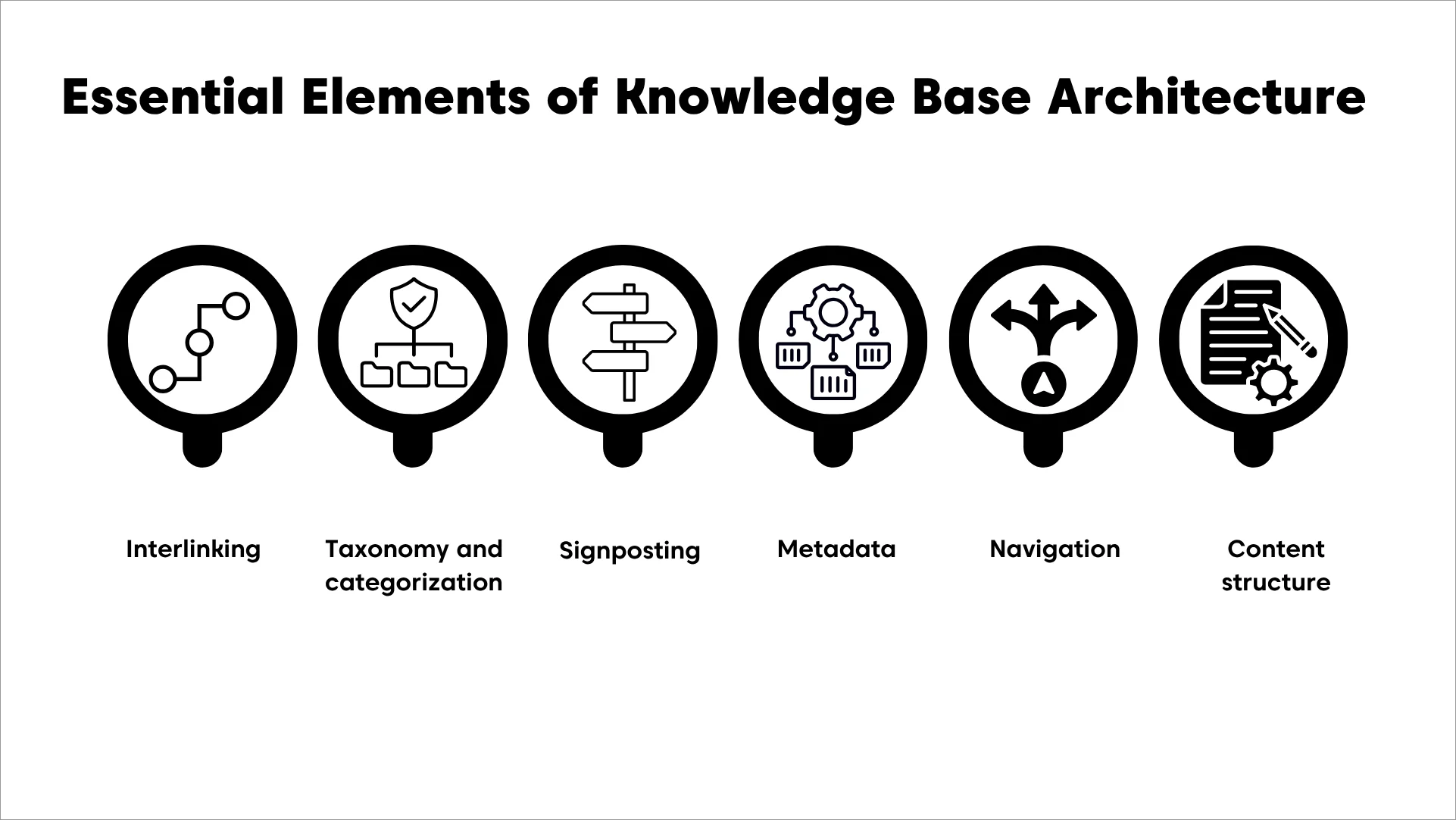
Here are some features you can oversee in your knowledge base architecture.
- Interlinking: Connects related articles within the knowledge base, allowing users to navigate seamlessly between topics and discover relevant information.
- Taxonomy and categorization: Organizes information into a hierarchical structure using sections, categories, subcategories, labels, and tags, making content easier to find and manage.
- Signposting: Uses clear page titles, headings, labels, and navigational cues to help users understand their current location and where to go next.
- Metadata: Adds descriptive information such as keywords, authors, publication dates, and related articles. Metadata improves searchability and helps users find relevant content faster.
- Navigation: Enables users to browse and access content easily through intuitive menus, category structures, breadcrumbs, and search functionality.
- Content structure: Defines how information is organized and presented using consistent formatting, headings, subheadings, bullet points, writing style, and tone across all articles.
Best practices for improving knowledge base architecture
Creating a robust and effective knowledge base ensures that content is not only accessible to users but also remains useful in addressing their requirements. Here are the best practices to create an effective knowledge base architecture:
Identify the capacity of your knowledge base structure
Before you start creating or improving your knowledge base information architecture, take time to accurately assess your current capabilities, resources, and constraints.
- If you have existing documentation, review it first to assess its relevance and quality.
- Identify team members who can help structure the knowledge base, including designers, UX experts, and article writers, to evaluate the best content creation tools available.
- Do you know how long it might take you to complete the knowledge base architecture? Be mindful of time limitations, ensuring a sustainable commitment rather than overextending on building it and risking failure.
By understanding these factors, businesses can create an efficient, user-friendly, and adaptable knowledge base over time.
Know your target audience
Understand your target audience by analyzing user personas, gathering feedback from support interactions, and tracking search queries to identify common pain points.
Structure content based on technical proficiency and frequently asked questions to ensure seamless navigation and reduce ticket volume.
Consider what type of structure and knowledge base information architecture your audience prefers.
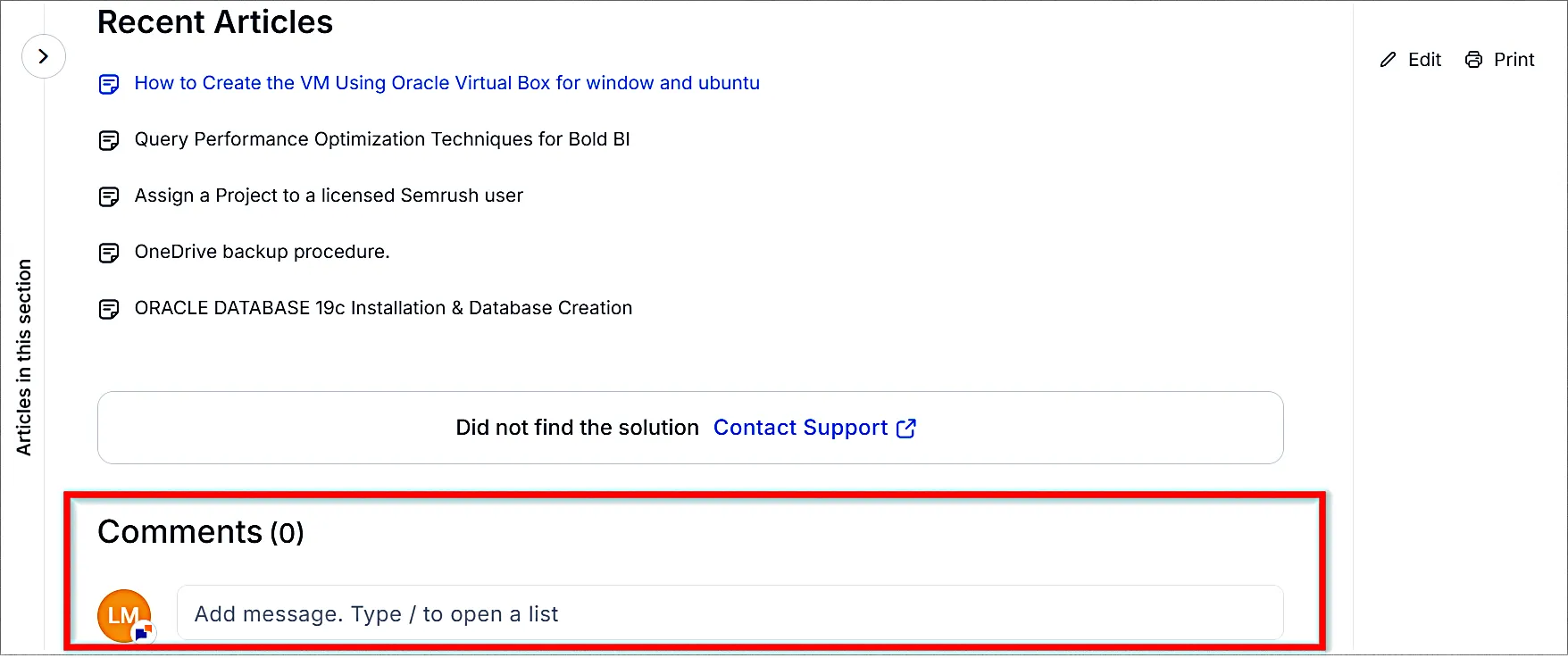
A well-crafted knowledge base is more than just a collection of articles. It’s a powerful tool for customer engagement and support.
Align it with your audience’s needs and expectations to make it truly effective.
Your buyer personas aren’t just for marketing. They should also shape your knowledge architecture because the information is intended for those users.
Utilizing customer information will help shape content effectively, just as they did when identifying key topics.
Utilize knowledge base article templates
A knowledge base should not only store information; it must provide clear, organized content that assists users in solving problems efficiently.
To achieve this, it’s important to recognize that not all articles serve the same purpose.
Most knowledge bases include five main types of content.
- How-to guides: Offers step-by-step instructions for completing tasks
- Troubleshooting guides: Helps users diagnose and fix issues
- Reference articles: Explains features and options
- Best practices: Provides recommendations for maximizing product use
- FAQs: Includes answers to common queries or solutions to simple issues
Additional categories may be necessary for your product, but too many can create confusion and weaken the structure.
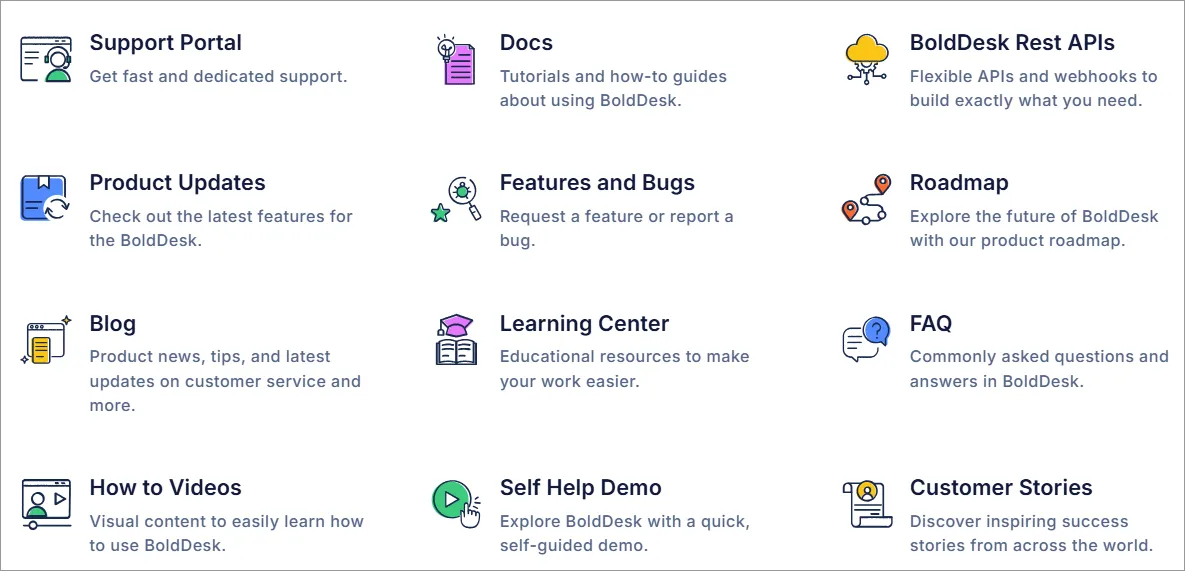
Focus on these defined article types to maintain clarity and consistency. If a topic doesn’t fit within them, consider placing it elsewhere.
Each article type should also follow a structured format, making content easier to navigate and understand.
Creating knowledge base article templates for common types of self-help resources can also help streamline content creation and ensure uniformity.
Ensure easy accessibility and usability of important content
How fast can customers get urgent information on your website or help center? Visibility of such important content within your knowledge base architecture matters.
Customers often get frustrated and waste time when experiencing slow search engines making it difficult to find solutions. To avoid this, ensure the structure of your knowledge base redesign highlights articles that address the most common issues first.
Consider using a simple content hierarchy and attractive design to highlight key content, ensuring customers quickly find the answers they need, keeping them engaged and satisfied.
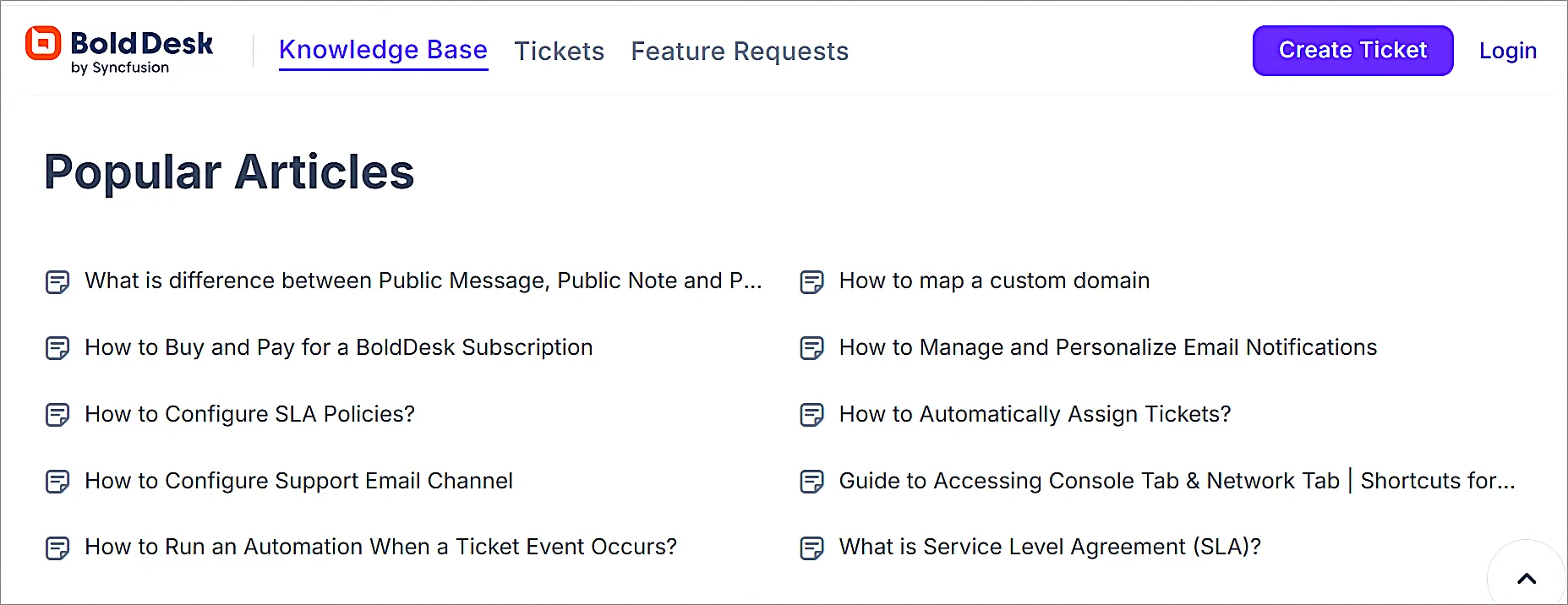
Ensure the interface aligns with the organization’s branding and prioritize accessibility to enable users to easily find and access the information they need.
Organize your content logically
Normally users seek a dynamic and fast interface that enables them to easily find assistance and resolve their issues quickly.
Identify common search topics, categorize articles, and provide clear instructions with self-service tools and interactive features.
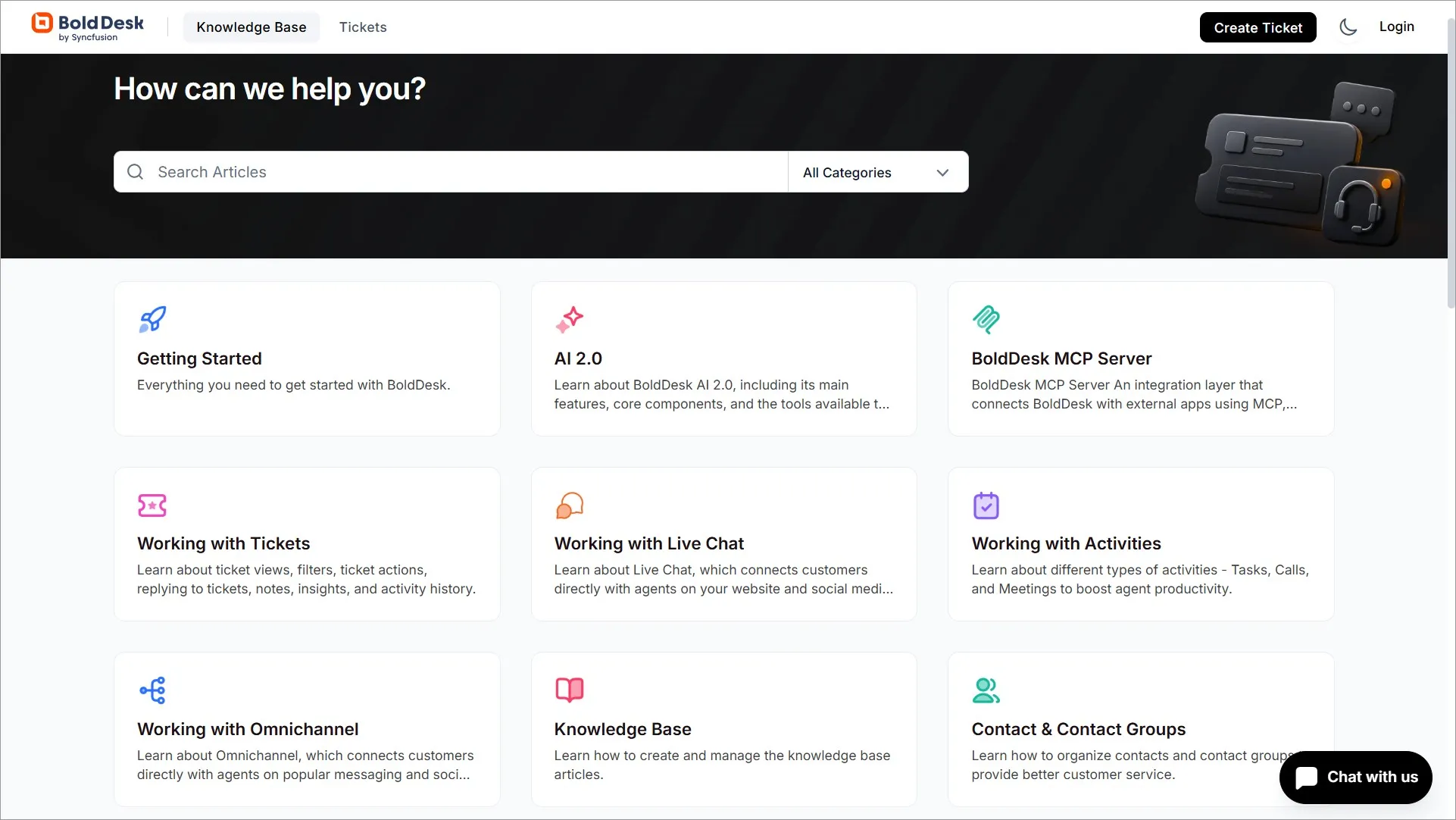
You can also utilize FAQs, step-by-step guides, and relevant help articles to direct users to the right information they are looking for to enhance understanding.
Ensure a consistent use of headings, font styles, and size for better readability. Spot and address content gaps and redundancies that require updates or removal.
Implement straightforward search and filtering options to empower users and help them improve on their problem-solving capabilities.
Measure the impact of the knowledge base structure and improve performance
Once you have implemented your knowledge base architecture, evaluate its effectiveness in meeting user needs and achieving desired outcomes.
Does it serve your knowledge base goals such as improved efficiency of overall support or self-service rates?
Try to analyze your key knowledge base metrics like search success rates, article views, and customer feedback to reveal how users interact with the knowledge base software and where they encounter difficulties.
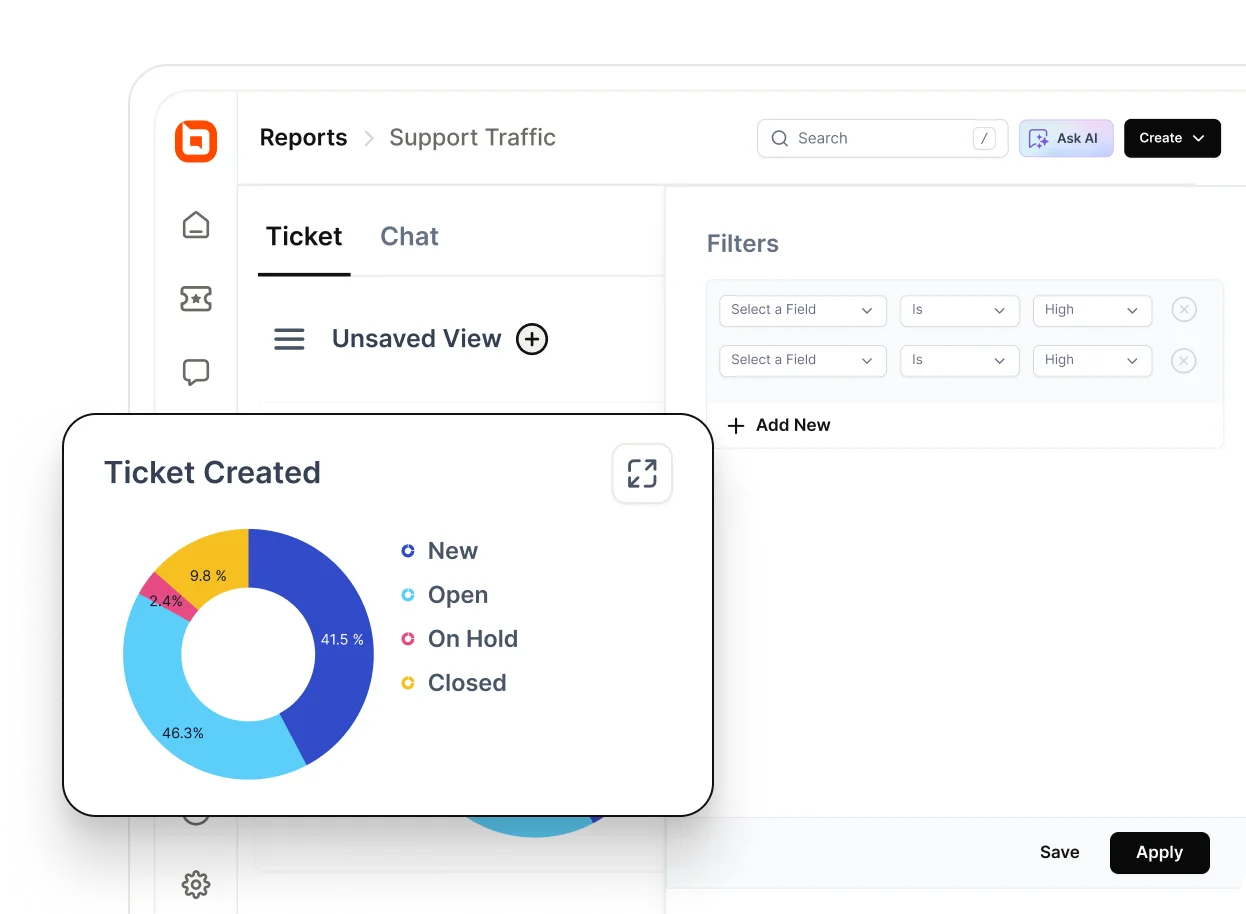
Maintain accurate, up-to-date, and relevant information by regularly reviewing and updating outdated or irrelevant structures based on customer feedback.
Importance of effective knowledge base structure
When you create a knowledge base, it helps both your support teams and customers find answers quickly.
Investing time and effort into your knowledge base design is worthwhile when the expected benefits outweigh the initial work needed. Here are some common reasons to think about structuring your knowledge base:
- Ensures consistency: A good knowledge management architecture ensures information is consistent across the organization. This helps to avoid confusion and misunderstandings among team members when answering customer issues.
- Scalability: As your organization grows, so does the amount of knowledge that needs to be managed. A well-designed knowledge base system architecture grows with your organization, efficiently managing increasing volumes of information without compromising performance.
- Enhances searchability: Knowledge base architecture allows information to be searched and retrieved quickly and easily. This helps users save time on research and facilitates faster problem-solving within the organization.
- Promotes innovation: By having an organized knowledge base information architecture, organizations can easily identify gaps in information and areas for improvement. This fosters a culture of innovation and continuous learning within the organization.
Equip users with a strong and effective knowledge base architecture
An ideal knowledge base information architecture serves as a foundation for you to build upon. You can add specific examples, case studies, and implementation tools to build and improve your knowledge base.
Take the necessary steps, with practical insights, to improve the effectiveness of a knowledge base architecture.
Schedule a live demo to discover how BoldDesk can help you design a strong knowledge base architecture that allows your target audience to easily access information whenever they need it.
If you have any questions, please contact the support team at BoldDesk.
I hope this article was helpful! Let me know if you have any further questions in the comment section below.
Related articles
- How to Create a Knowledge Base in 7 Easy Steps | BoldDesk
- 10 Steps to Create Your Knowledge Management Strategy
- 22 Top Knowledge Base Examples to Boost Self-Service Support
FAQs on knowledge base architecture
A well-designed knowledge base architecture ensures easy and quick access to information across various knowledge repository systems or applications for self-service purposes.
It transforms scattered information into unified, actionable insights, enhancing user experience and operational efficiency.
Designing a knowledge base architecture typically involves collaboration among knowledge base architects, content leads, support agents, UX designers, and other stakeholders who effectively structure and maintain the knowledge base.
Metadata adds descriptive information such as keywords, authors, and dates to knowledge base articles. This enhances searchability, allowing users to filter search results and find the most relevant articles efficiently.
Most customer support knowledge bases perform well with 5 to 8 top-level categories, although the ideal number depends on product complexity, audience needs, and content volume.
Categories should be broad enough to group related topics logically while remaining specific enough to help users find information quickly.
Most modern knowledge bases benefit from a relatively flat structure because users can reach answers faster and search engines can discover content more efficiently. Nested structures can be useful for large documentation libraries, but excessive hierarchy often makes information harder to find and maintain
In most cases, limiting navigation to two levels of nesting is recommended. Deep structures can increase the number of clicks required to find information and reduce content discoverability. Users should be able to reach important articles with minimal effort.
AI-powered search and answer systems perform best when content is organized into clear categories, articles focus on a single topic, titles are descriptive and duplicate or overlapping content is minimized. A well-structured knowledge base helps AI identify relevant information and deliver more accurate responses.
When reorganizing your knowledge base, keep existing URLs whenever possible to preserve search visibility and user access. If URLs must change, implement 301 redirects, update internal links, maintain category mappings, and monitor crawl errors after launch to reduce SEO and usability issues.